
Fleet Inspections: From Paper to GPS-Verified Workflows
Problem
Fleet managers relied on paper inspections, leading to unreliable records, delayed maintenance, and limited visibility into vehicle conditions.
Solution
Replaced paper with a GPS-verified digital workflow across mobile and web, connecting inspection data to maintenance systems in real time.
Impact
- Digitized inspection workflows across the platform
- Reduced delays between defect reporting and service task creation
- Gave teams visibility into vehicle issues and maintenance needs
- Improved inspection completion rates across customer fleets
Overview
Momentum IoT is a fleet management platform used by operations teams across construction, landscaping, HVAC, transportation, and more. Fleet managers needed real-time visibility into vehicle health, but inspections were still completed on paper.
As the sole product designer, I led the end-to-end design of the Vehicle Inspections module, a GPS-verified, mobile-first system that connected driver inspections directly to maintenance operations, working in close collaboration with engineering and cross-functional stakeholders throughout the product lifecycle.
The Problem
Fleet inspections relied on paper forms, leading to incomplete reports, delayed defect escalation, and no real-time visibility into vehicle health.
Key Challenges
- Inspections were performed under time pressure and often rushed or skipped
- Paper records were missing or inconsistent and lacked location data
- Reports reached maintenance late, causing delays of hours to days
- Scheduling was manual with no prioritization or automation
Design a real-time, verifiable inspection system that captures accurate data in the field and automatically triggers maintenance workflows.
- Less than 5-minute inspection window
- Low-connectivity environments
- Diverse fleet + inspection requirements
Solution
Drivers complete inspections on mobile in real time, while fleet managers use the web dashboard to monitor vehicle health, track defects, and manage maintenance workflows.
This transforms inspections from a manual, delayed process into a connected system with real-time visibility and accountability.
Manual / Reactive Process
- 01Paper ChecklistPaper checklist completed by hand
- 02Manual HandoffForms passed physically to managers
- 03Disconnected RecordsRecords stored away and disconnected from fleet data
- 04Delayed DiscoveryIssues discovered only when something breaks
- 05No AccountabilityNo accountability or reliable audit trail
Automated / Connected System
- 01Mobile InspectionDriver completes checklist in the Momentum Go app
- 02GPS + Timestamp Verified DataGPS and timestamp captured automatically
- 03Instant AlertsIssues flagged immediately for manager visibility
- 04Service Tasks AutomationService task created without manual follow-up needed
- 05Full Audit TrailComplete inspection history and compliance record
Research and Key Decision
To understand how inspections fit into daily operations, I collaborated with stakeholders and conducted user research with fleet managers. This revealed how inspections were performed in real-world conditions and where existing tools were falling short.
Research Insights
Speed is critical
Drivers operate under tight schedules and will abandon workflows that slow them down.
Inspection needs vary
Fleets require different checklists depending on vehicle type, regulations, and operational needs.
Compliance drives consistency
Inspections are often tied to insurance and liability, making accuracy and completion essential.
Managers respond to alerts
Managers don't monitor dashboards constantly and act only when alerts or exceptions arise.
Decouple inspections into a dedicated driver app: Momentum Go.
- Keep the interface focused and distraction-free
- Optimize for speed and ease of use in the field
- Increase adoption by reducing perceived effort and friction
Competitive Analysis
Most competitors offer fragmented solutions, focusing on either telematics or inspections and rarely connecting inspections directly to maintenance workflows.
| Capability | Enterprise TelematicsSamsara, Motive | Whip Around | Fleetio |
|---|---|---|---|
| Driver inspections (mobile) | Strong capability | Strong capability | Strong capability |
| Customizable inspection forms | Strong capability | Strong capability | Strong capability |
| Native GPS / telematics hardware | Strong capability | Integrations | Integrations |
| Maintenance and work orders | Limited | Limited | Strong capability |
| Issues to service tasks | Limited | Limited | Strong capability |
Design Process
Validating the Flows
Wireframes mapped the full experience so key workflows could be validated before investing time in visual design.
Defining the Inspection Framework
Managers name the form, assign it to vehicles or locations, set the schedule, and configure alert rules.
Building Checklist Items
Managers add questions, choose input types, apply conditional logic, and preview each item exactly as drivers will see it.
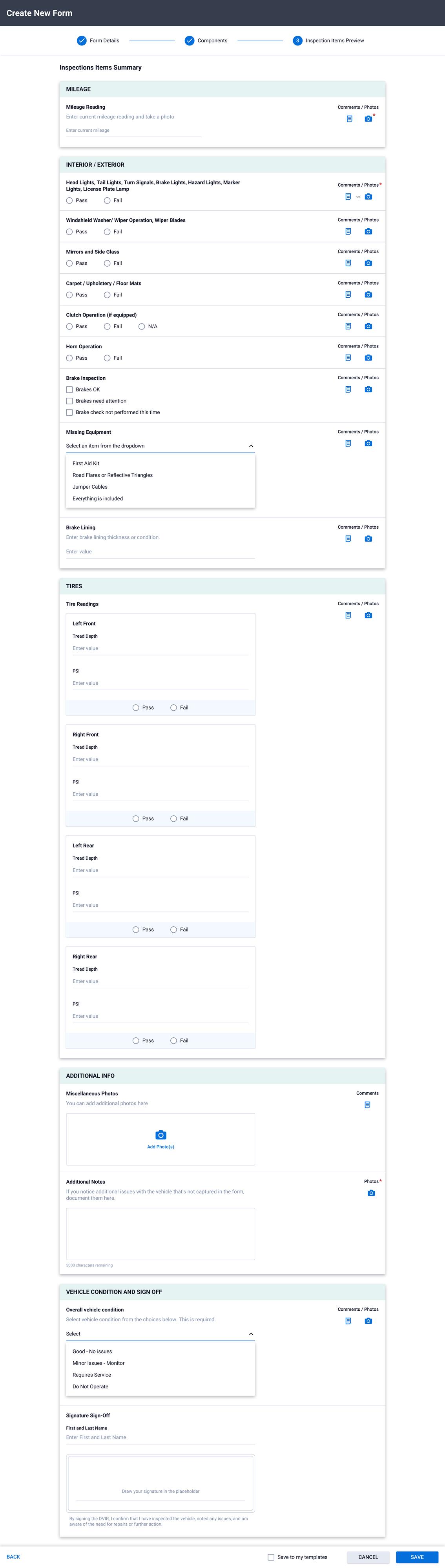
Inspection Preview
A final review of the full form as drivers will see it, with an option to save as a reusable template.
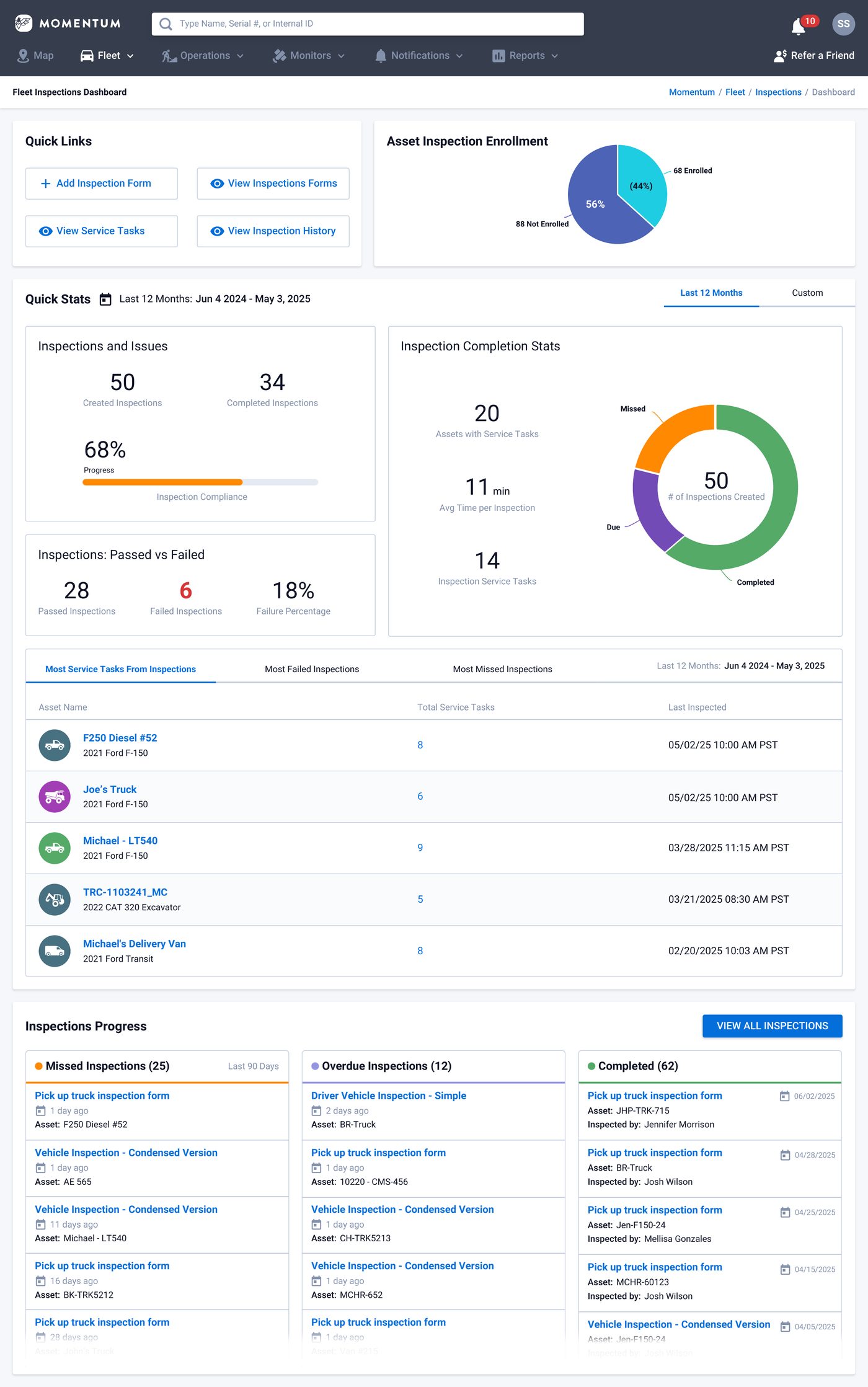
Fleet Inspections Dashboard
Inspection progress, compliance rates, and asset status at a glance, with quick links to common actions.
Driver App: Momentum Go
Three tabs, one goal: open the app, complete the inspection, and get back to work as soon as possible. I mapped the entire flow through sketches before moving to high-fidelity designs.
-
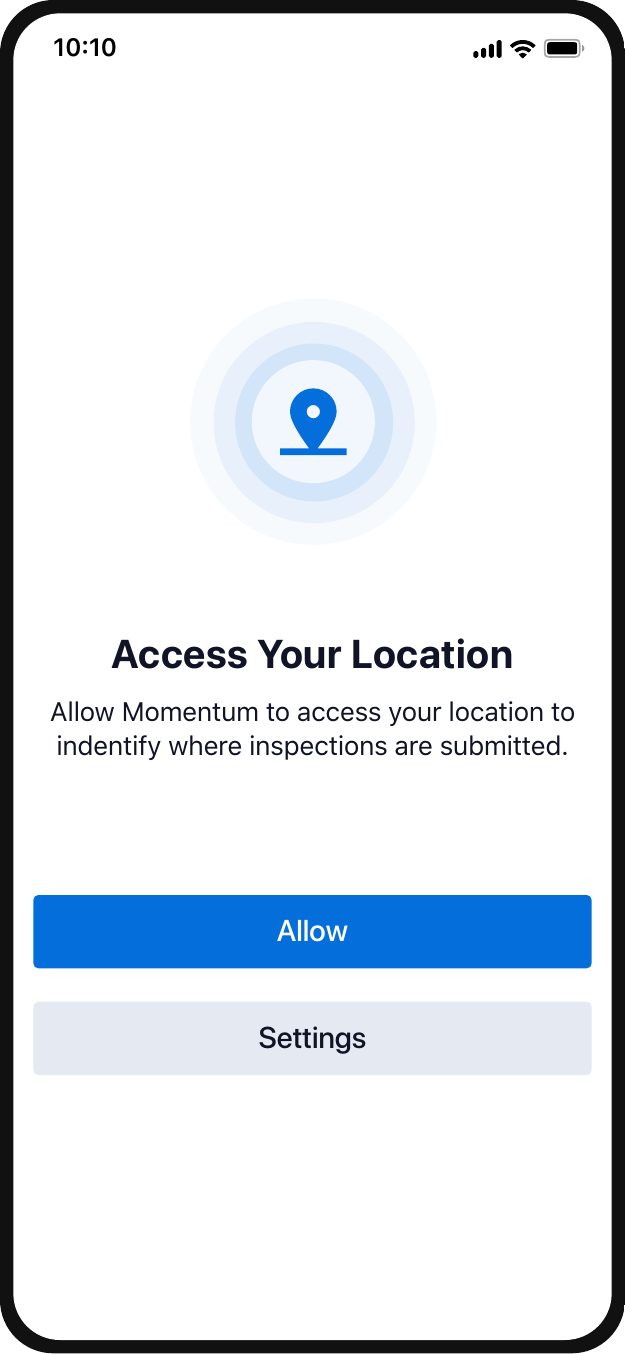
Location AccessPermission prompt to identify where inspections are submitted -
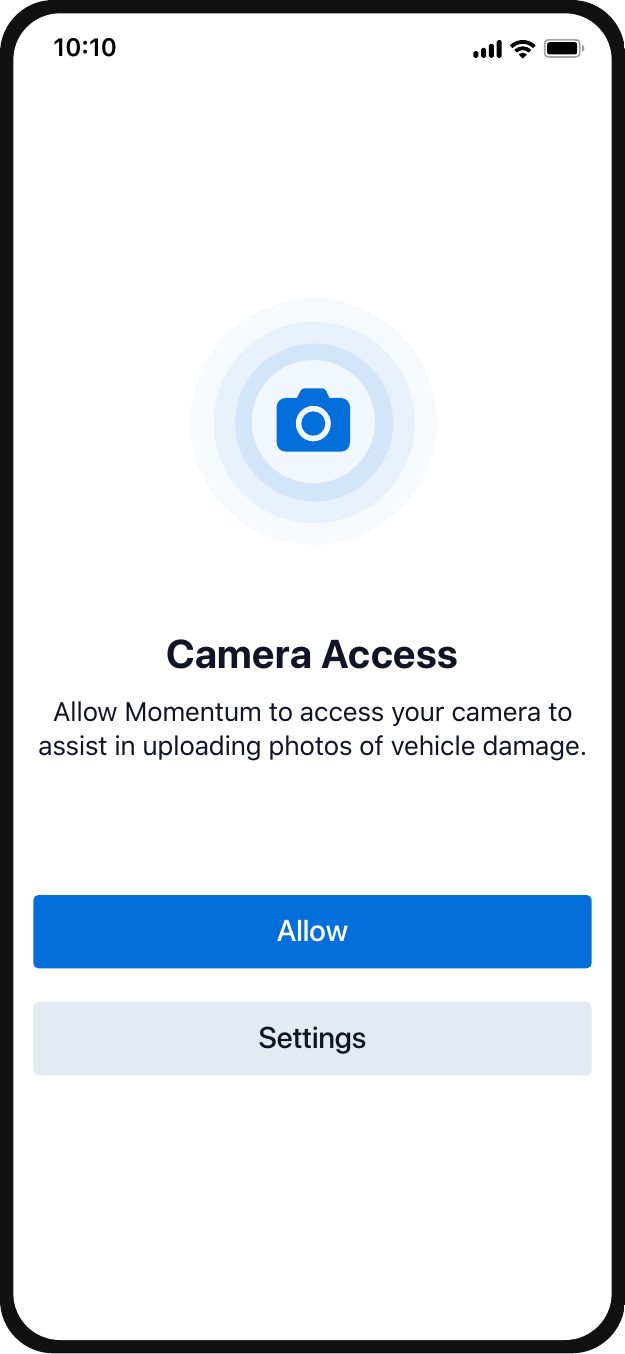
Camera AccessPermission prompt to upload photos of vehicle damage -
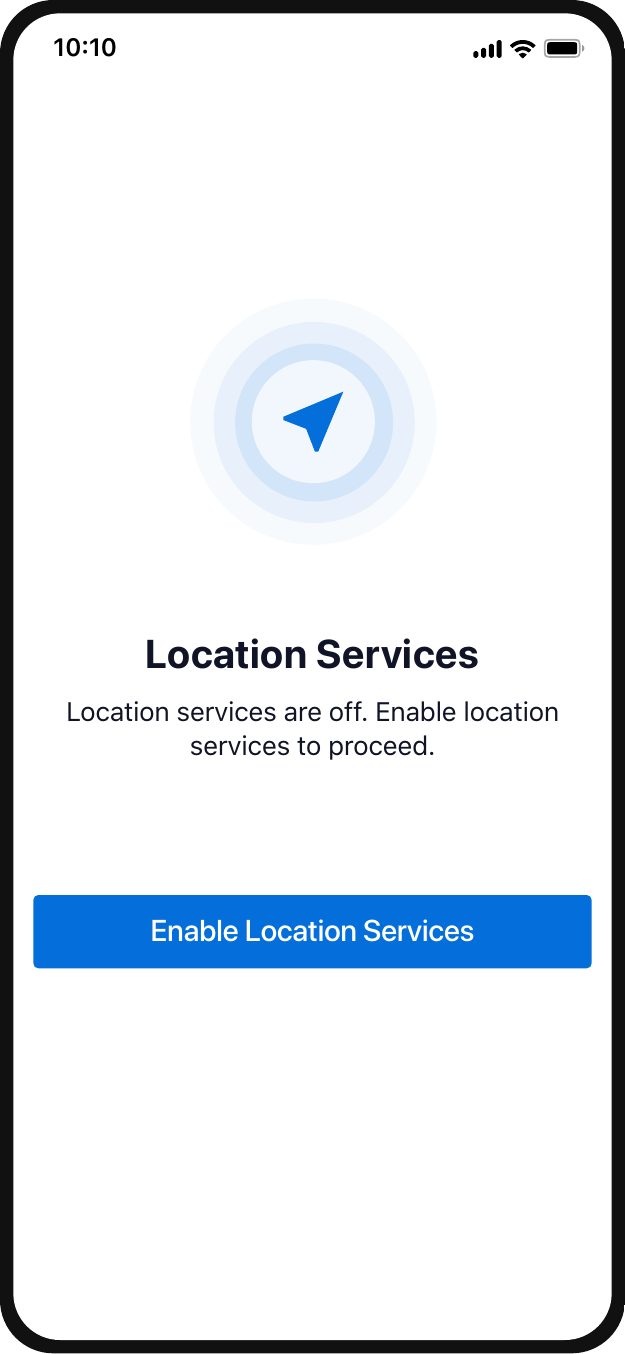
Location ServicesPrompt to enable location services to proceed -
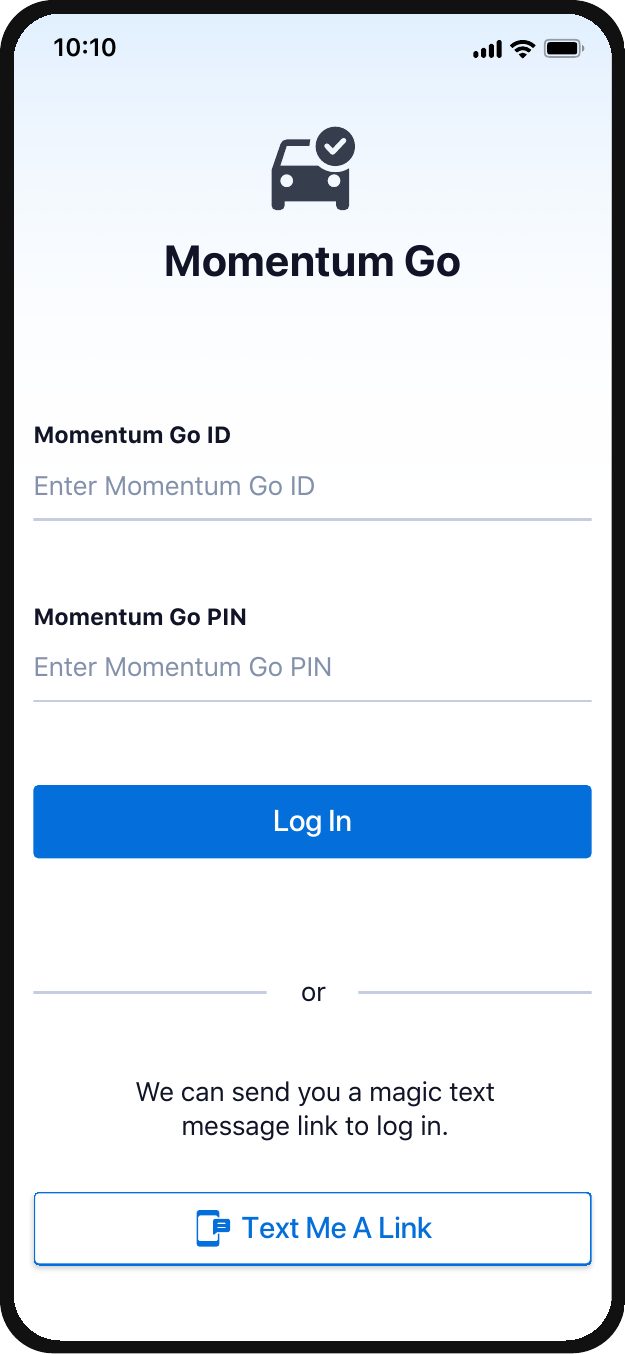
LoginID/PIN entry with magic text link option -
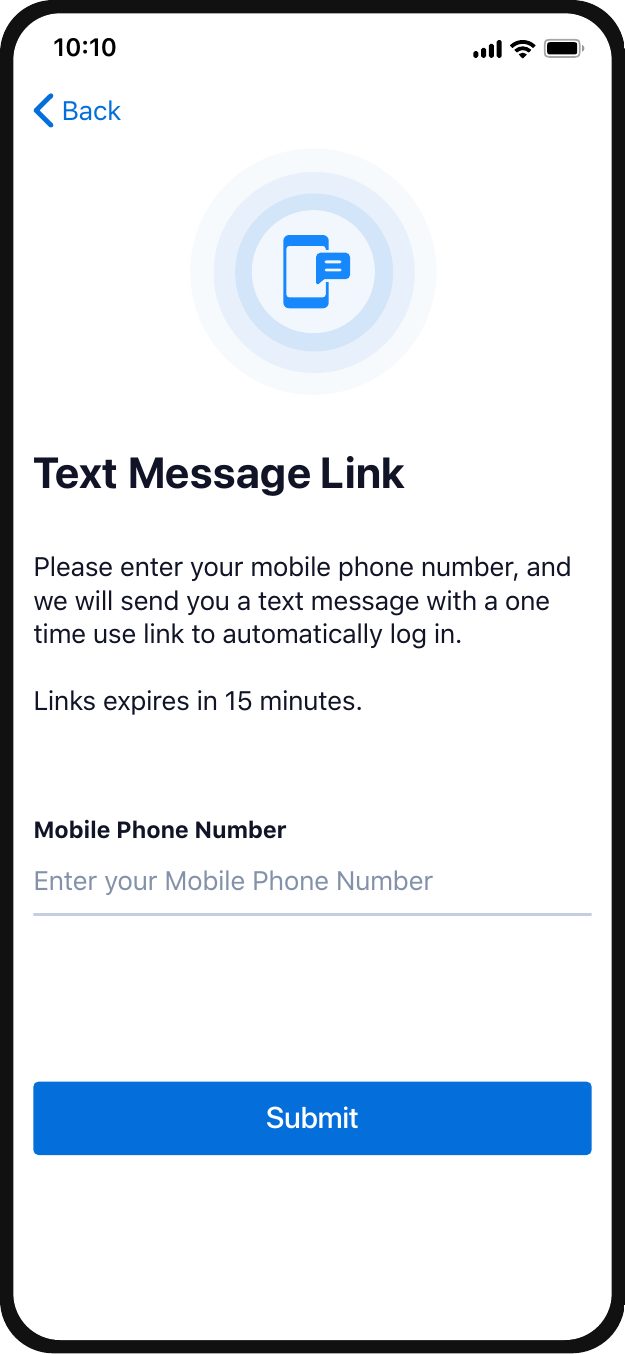
Text Message LinkEnter phone number for a one-time login link -
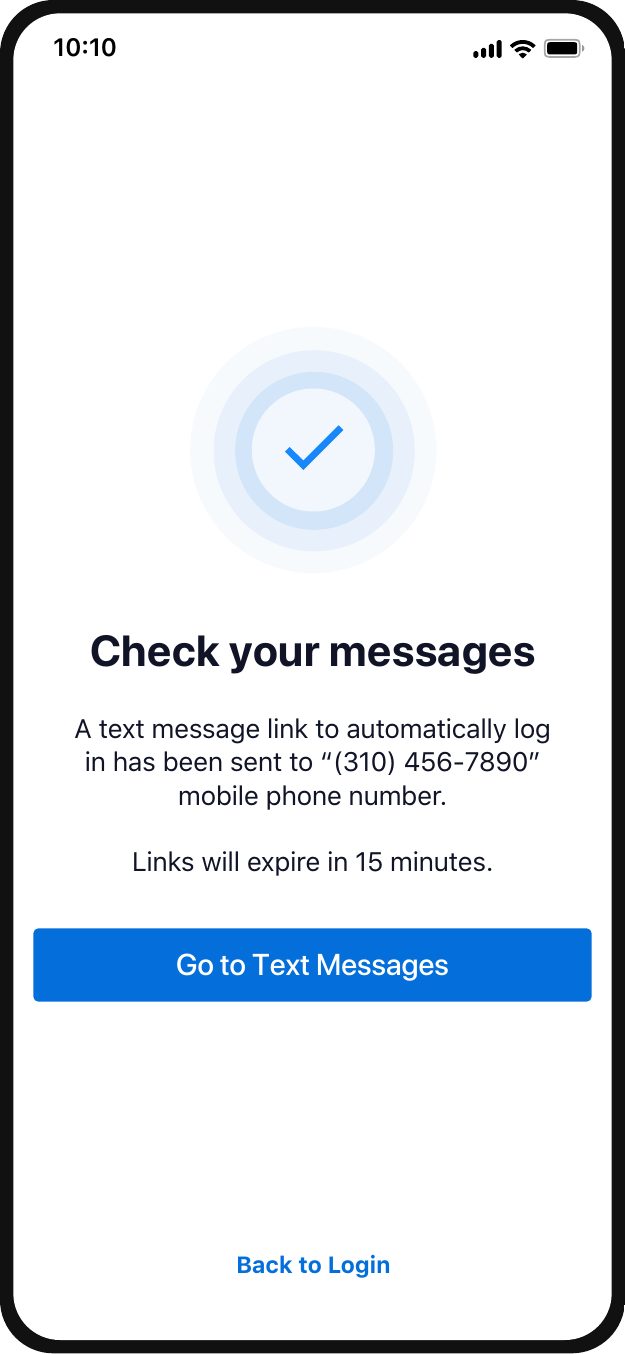
ConfirmationLink sent, 15-minute expiry -
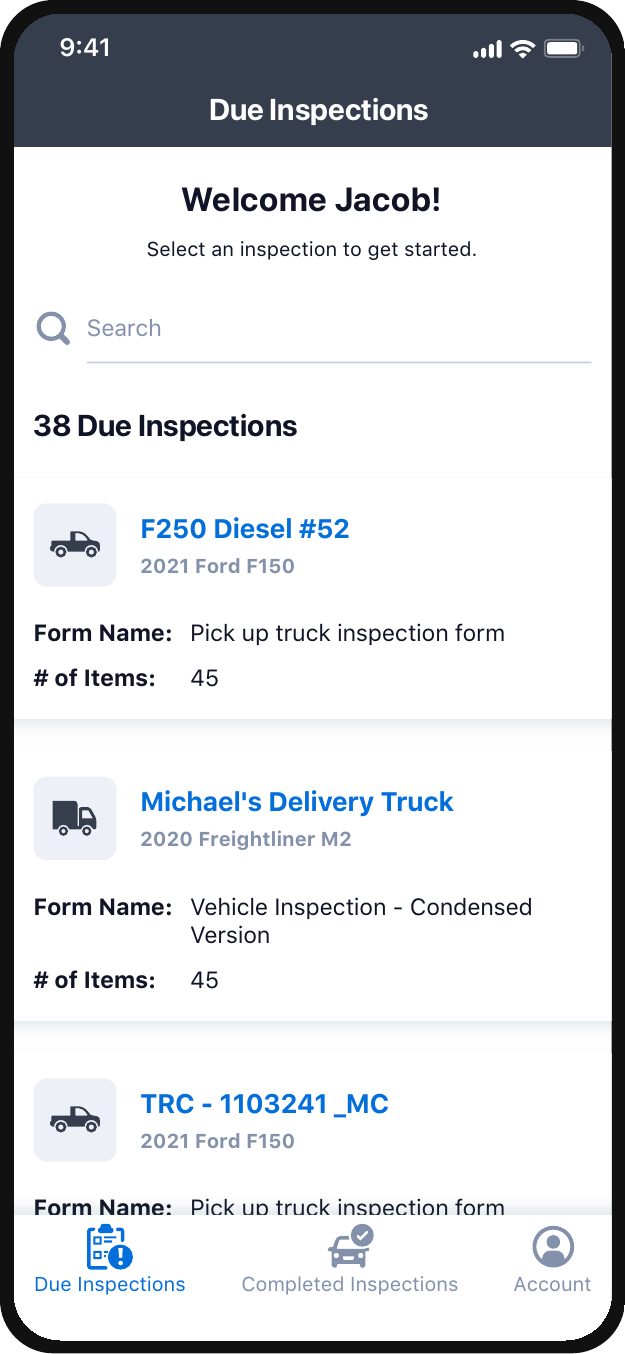
Pending InspectionsDriver landing page showing due inspections -
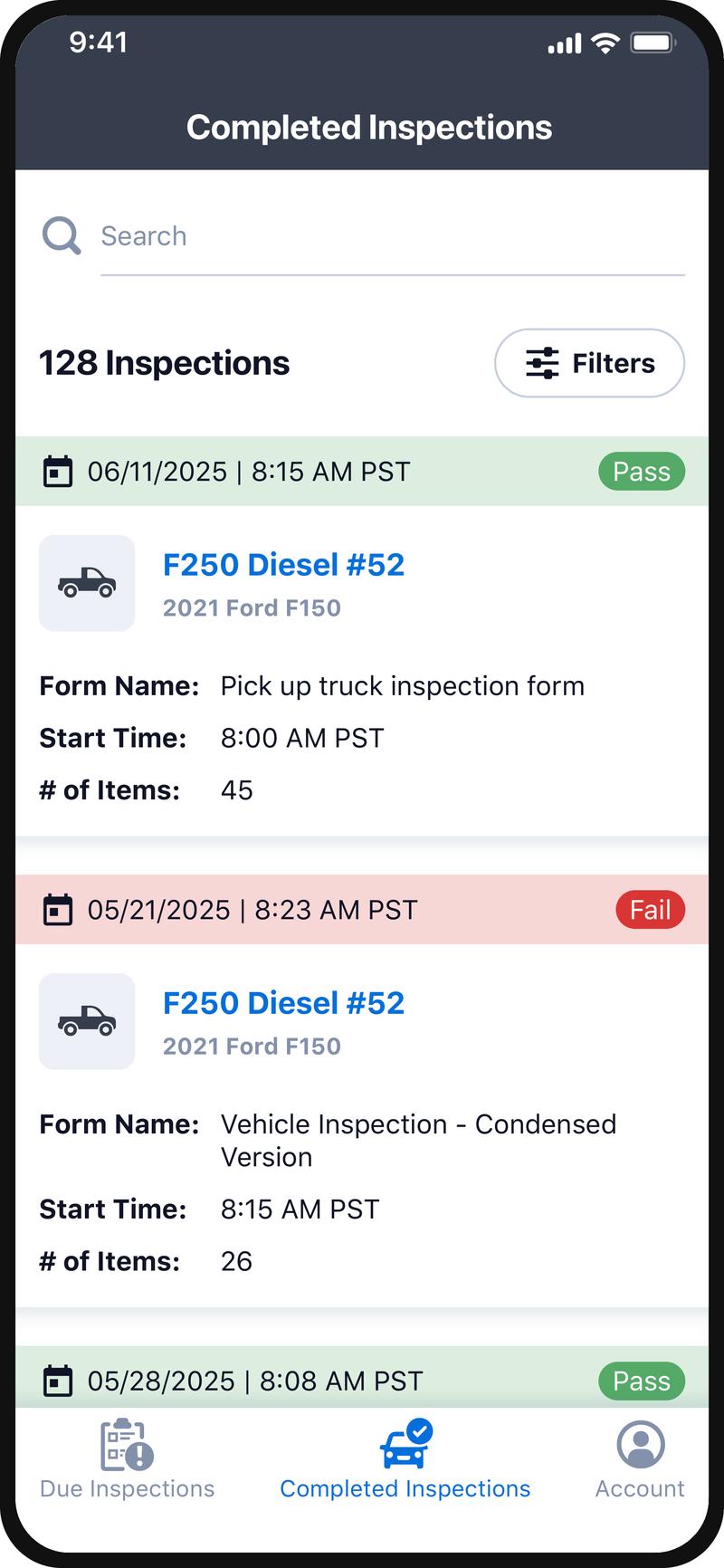
Completed InspectionsPass/fail history with date and form details -
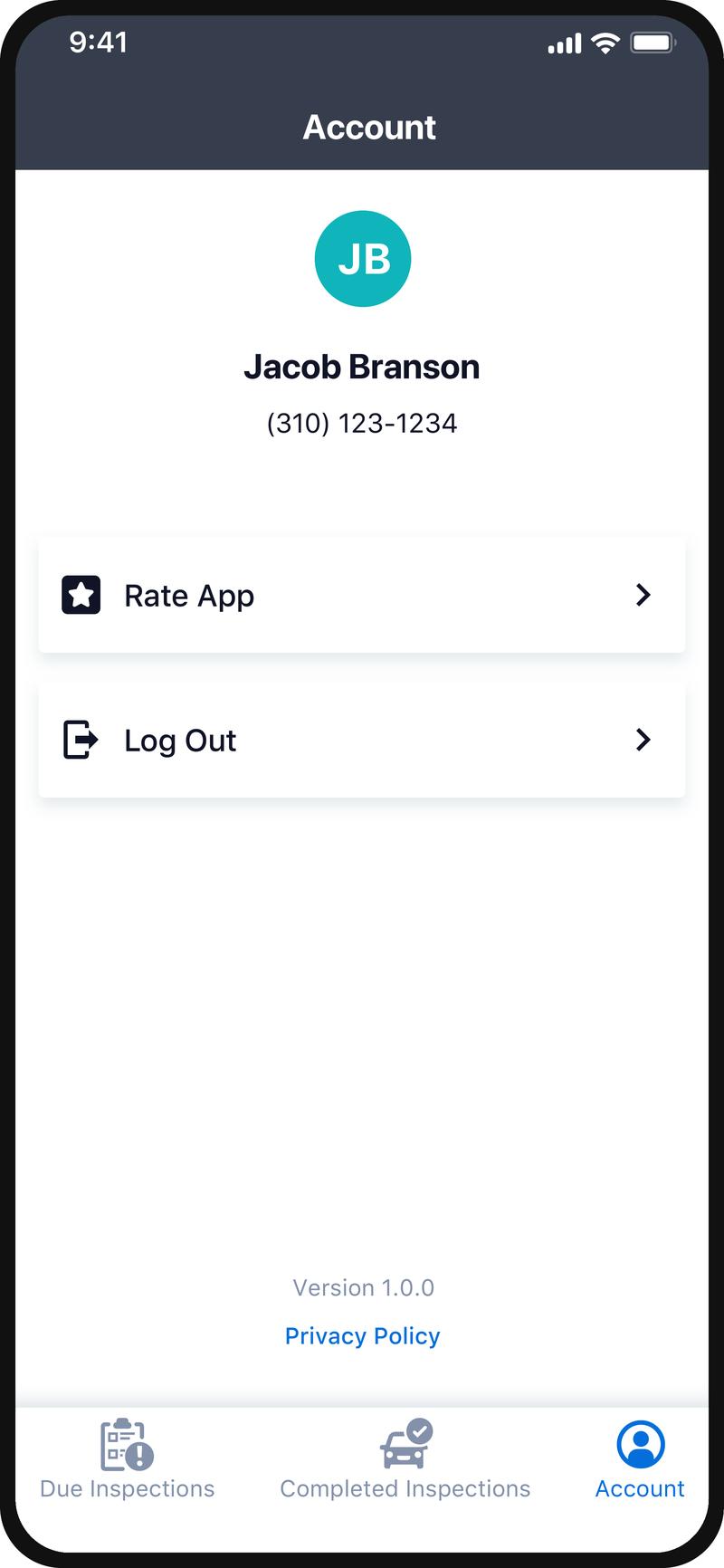
AccountProfile, rate app, log out, and version info
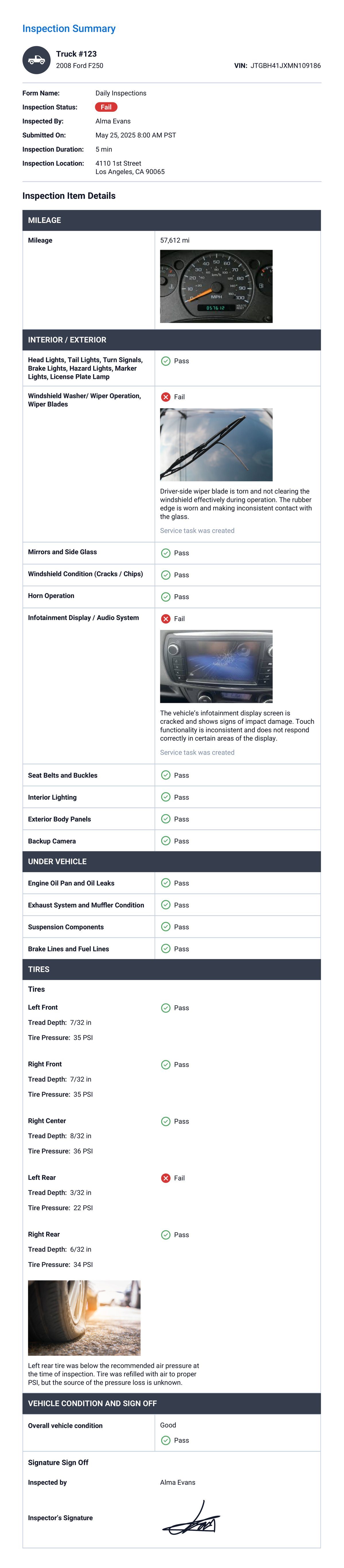
Every completed inspection becomes the official compliance record and the source of truth for maintenance follow-up.


Outcome
The Vehicle Inspections module launched platform-wide. For the first time, Momentum customers could see not just where vehicles were, but whether they were safe to operate.
Efficiency
Paper inspections were eliminated and completion rates increased.
Compliance
Every inspection is GPS timestamped. Defects automatically generate service tasks and maintenance records.
Visibility
Managers can track fleet health directly from the dashboard.
Skills Highlighted
- Competitive Analysis
- Mobile UX
- Cross-Platform Design
- User Research
- Information Architecture
- UX Strategy
- Compliance Workflows
- Stakeholder Collaboration
- Systems Thinking
- Data Visualization
- Dashboard Design
- Interaction Design
- Prototype Testing
- Low-Connectivity UX
- End-to-End Product Thinking
- GPS & Location-Aware Design